If you’ve ever thought, “There has to be a better way to do this,” you’re ready for make.com. It’s a visual automation platform that connects your apps and streamlines repetitive work, with zero (or very little) code. In this guide, I’ll walk you through what make.com is, how it works, when to use it, and how to build reliable automations that don’t break on Monday morning. You’ll learn the basics, see real examples, and pick up pro tips to scale your workflows without chaos.
Table of Contents
- Definition and Overview
- Subtopic or Supporting Idea
- How To or Steps
- Examples, Benefits, or Comparisons
- Advanced Tips or Optimization Ideas
- Common Mistakes or Myths
- Future Trends or Insights
- FAQs
Definition and Overview
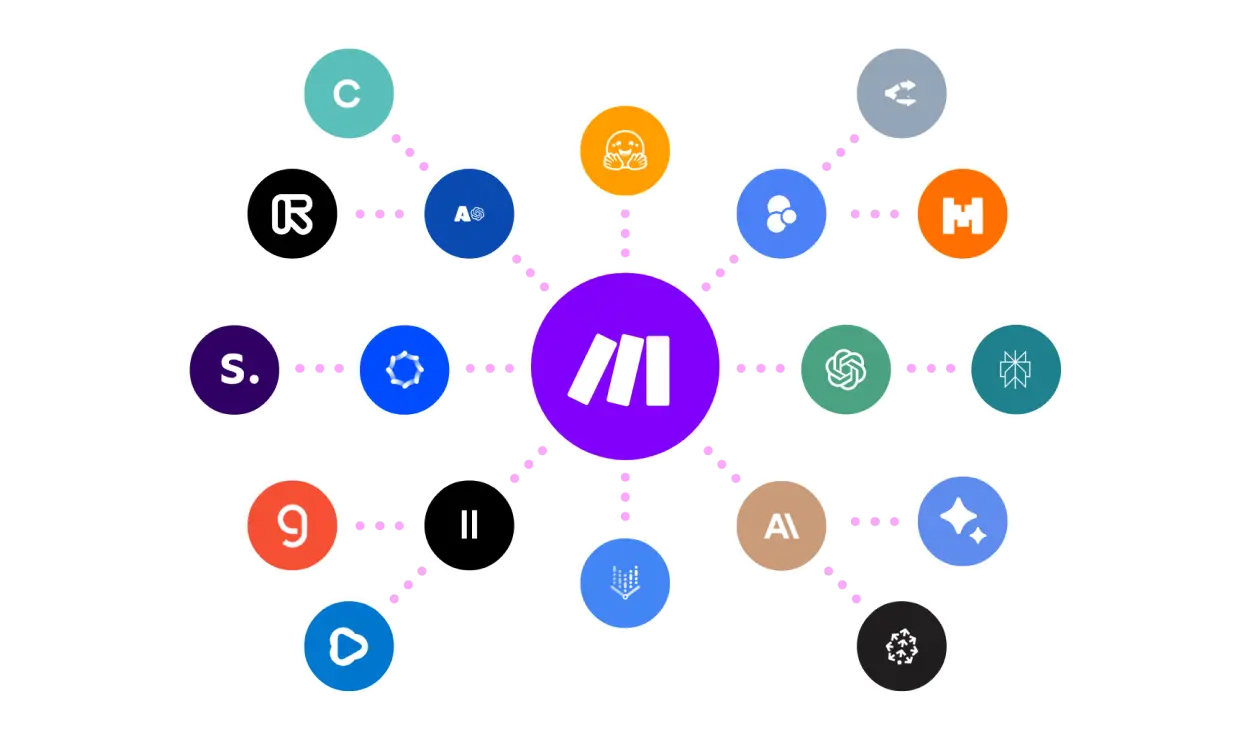
make.com (formerly Integromat) is a no-code/low-code automation platform. It lets you connect tools like Google Sheets, Slack, HubSpot, Shopify, Airtable, and hundreds more. You build “scenarios” by dragging and dropping modules for triggers (when something happens) and actions (do this next). The visual canvas makes complex workflows feel like LEGO for business processes.
Why it matters:
- Time savings: Offload the busywork, focus on strategy and creative tasks.
- Consistency: Workflows run the same way every time.
- Scale: As you grow, make.com scales with you—no full-time engineering needed.
- Visibility: Logs, execution history, and error reports make troubleshooting easier.
Where it fits in your stack:
- Marketing automation (lead routing, campaign tagging, content ops)
- Sales ops (CRM enrichment, notifications, renewal reminders)
- Ecommerce ops (orders, inventory, fulfillment updates)
- Data ops (ETL-lite between spreadsheets, warehouses, and BI tools)
Helpful references:
- Marketing automation fundamentals from HubSpot
- Automation in modern marketing from Search Engine Journal
- SEMrush guide to marketing automation and tooling
- SEO work you can automate (e.g., monitoring) ties back to Moz’s core fundamentals
- Use make.com to push engagement data to GA4 via Measurement Protocol
- Track Core Web Vitals and automate reporting with APIs referenced by Google Search Central
If you want a strategy-first blueprint before you build, I’ve outlined a framework here
For official platform details, the make.com help center is excellent
Subtopic or Supporting Idea
Is make.com just for developers?
Nope. make.com is built for operators, marketers, and founders. You don’t need to write code to build reliable scenarios. That said, a little technical literacy helps—things like understanding JSON, APIs, webhooks, and rate limits. Think of make.com as the bridge between business logic and technical execution. You can start simple, then layer in power features as you go.
Common misconception: “Zapier is for no-code, make.com is for developers.” Reality: both are no-code automation tools. Zapier is simpler for quick linear tasks. make.com shines when you need branching logic, iterators/aggregators, and deep data mapping. If your workflow looks like a flowchart and not a straight line, make.com is often the better fit.
How To or Steps
How to build your first make.com scenario:
- Define the job to be done
- Write one sentence: “When X happens, do Y and Z, then record A.”
- Example: “When a lead fills out the contact form, send a Slack alert, create a HubSpot contact, and log the event in Google Sheets.”
- Create a new scenario
- In make.com, click Create a new scenario.
- Search for your trigger app (e.g., Webhooks, HubSpot Form, Shopify Order).
- Choose a trigger
- Webhook: great for forms and custom events.
- Scheduled: great for polls (e.g., check a sheet every 15 minutes).
- App event: e.g., “New row in Google Sheets,” “New deal in Pipedrive.”
- Connect your apps
- Authenticate with OAuth or API keys.
- Use descriptive connection names (e.g., “HubSpot – Marketing user”).
- Confirm permissions—least privilege is a good practice.
- Map your data
- Add the next module (e.g., Slack, Google Sheets, CRM).
- Map fields from the trigger to the action (e.g., email, name, UTM source).
- Use make.com functions for string cleanup, dates, or JSON parsing.
- Add logic with routers
- Use Routers to branch by condition (e.g., if lead source = “Google Ads,” route to Sales; else, route to Marketing).
- Add Filters between modules to keep flows clean.
- Handle lists with iterators/aggregators
- Iterator: loop over line items (e.g., order items).
- Aggregator: bundle results into one message or record.
- Build error handling
- Add error handlers for retries, alternative paths, or notifications.
- Decide when to stop the flow vs. continue with defaults.
- Test with sample data
- Use the Run once button with realistic test data.
- Validate outputs in each connected app.
- Check the Execution log for any mapping errors.
- Schedule and ship
- Turn the scenario on and set scheduling.
- Document the workflow (what it does, who owns it, where logs are).
- Set alerts in case of errors (email or Slack).
Bonus: Export your scenario blueprint JSON and store it in Git for versioning.
Examples, Benefits, or Comparisons
Real-World Examples You Can Build in an Afternoon
-
Lead routing and enrichment
- Trigger: Webhook from your website form.
- Actions: Enrich email with Clearbit or similar, create contact in HubSpot, assign owner by territory, post to Slack, log to Google Sheets for auditing.
- Benefit: Faster response times and cleaner CRM data.
-
Ecommerce “zero-touch” updates
- Trigger: New order in Shopify.
- Actions: Split to fulfillment path (warehouse API), send a personalized email via your ESP, update inventory in Airtable, notify finance in Slack.
- Benefit: Shortens fulfillment time and keeps teams in sync.
-
SEO monitoring and reporting
- Trigger: Scheduled daily.
- Actions: Call PageSpeed Insights or similar APIs, store Core Web Vitals in a sheet or database, send weekly digest in Slack.
- Benefit: Proactive SEO maintenance without manual checks (and yes, Google’s Core Web Vitals matter—see docs above).
-
Content ops—idea to published
- Trigger: New row in Airtable “Content Ideas.”
- Actions: Create a draft in your CMS, spin up a checklist in Asana, notify editor, attach assets from Google Drive.
- Benefit: Moves content through the pipeline without slack time.
-
GA4 event logging via Measurement Protocol
- Trigger: Conversion event in your CRM or payment processor.
- Actions: Send server-side GA4 event with the Measurement Protocol, reconcile event IDs with client-side data.
- Benefit: Stronger analytics integrity and more accurate conversion paths.
make.com vs Zapier
- Structure: Zapier is linear; make.com supports branching, routers, and complex logic in a single scenario.
- Data handling: make.com excels at mapping complex payloads, iterating over arrays, and doing transformations.
- Learning curve: Zapier is faster for simple tasks; make.com pays off as complexity grows.
- Pricing: Both have tiers; evaluate based on operations/tasks and data complexity.
make.com vs n8n
- Hosting: make.com is SaaS; n8n can be self-hosted.
- Control: n8n offers deep control and plugins; make.com offers a managed platform, faster to start.
- Team: If you want SOC2-ready, low DevOps overhead, and visual reliability, make.com is simpler. If your team wants full control and self-hosting, consider n8n.
make.com vs Pipedream
- Focus: Pipedream leans developer-first with code steps; make.com is more visual-first.
- Use case: If your team is comfortable with JavaScript and serverless concepts, Pipedream rocks. If you want business-friendly building blocks, make.com is friendlier.
Advanced Tips or Optimization Ideas
-
Use Data stores wisely
- make.com Data stores are great for small key-value storage (e.g., last processed timestamp). For heavy data, use Airtable, Sheets, or a database.
- Keep identifiers (email, order ID, external ID) consistent across tools.
-
Design for rate limits and resilience
- Add deliberate delays or throttling when calling APIs with strict limits.
- Use error handlers to retry with exponential backoff for transient errors.
- Split big jobs into smaller batches to avoid timeouts.
-
Secure your webhooks
- Use signing secrets or verification tokens when available.
- Avoid sending sensitive data unencrypted; mask secrets in logs.
-
Clean your data at the edge
- Normalize casing, trim whitespace, and validate emails upfront.
- Enforce required fields via Filters so bad data doesn’t propagate.
-
Document everything
- Scenario name: “CRM | Lead Intake | Form → HubSpot/Slack/Sheet”
- Description: purpose, owner, triggers, outputs, and roll-back steps.
- Keep a changelog with links to blueprint versions.
-
Instrument for analytics
- Send key events to GA4 via Measurement Protocol: https://developers.google.com/analytics/devguides/collection/protocol/ga4
- Track scenario errors in a “monitoring” channel in Slack.
- If you’re a HubSpot shop, align automations with lifecycle stages and attribution models.
-
Iterate and aggregate like a pro
- Iterator for line items, comments, or nested arrays; Aggregator to combine into a single payload for email or Slack.
- Use array/map functions to reshape data without code.
-
Build with environments in mind
- Keep dev/test/prod scenarios separate.
- Use different connections and prefixes (e.g., “DEV – HubSpot”).
- Only schedule production scenarios.
-
Use the HTTP module
- When an app doesn’t have a native module, the HTTP module plus a good API doc gets you 90% there.
- Save response samples to build your data mapping confidently.
-
Export blueprints and version control
- Export scenario JSON regularly.
- Store in Git with tags that match change tickets or dates.
For deeper automation planning principles and a lightweight RACI model for ownership, see my strategy notes: https://justincreasy.com/blog/automation-strategy/
Common Mistakes or Myths
-
Building the “do-everything” mega-scenario
- One giant scenario is harder to test and maintain. Split by function (intake, enrichment, notifications, persistence).
-
Ignoring rate limits and pagination
- APIs have limits. Add throttles and handle pagination explicitly. Test with large data sets, not just toy samples.
-
Skipping error handling
- No error path means one bad record can stop the entire flow. Add retries, fallbacks, and alerts.
-
Hardcoding values everywhere
- When you need to change a channel, ID, or URL, you’ll hunt across modules. Centralize key constants in a Data store or a “Config” sheet.
-
Not documenting ownership
- Someone must own each scenario. Put the owner in the description and in your team handbook. Vacation-proof your automations.
Future Trends or Insights
-
AI-native workflows
- Tools like make.com are adding connectors for LLMs. Expect prompt management, function calling, and guardrails to become standard building blocks.
-
Event-driven marketing ops
- As teams move to real-time, webhooks and streaming events will replace nightly CSV imports. make.com’s routers and filters are built for this.
-
Privacy and first-party data
- With third-party cookies fading, server-side tracking (e.g., GA4 Measurement Protocol) and first-party enrichment will grow. Automations will act as the glue.
-
Unified data layers
- Expect more teams to standardize data schemas across CRM, analytics, and BI. Automation will enforce schema rules as data moves.
-
Cost and governance
- As adoption grows, organizations will want observability: who built what, what it costs, and SLAs. Build governance now—naming, versioning, monitoring.
Citations worth bookmarking:
- HubSpot on automation strategy
- SEMrush’s automation overview
- Search Engine Journal’s guide to automation
- Google Search Central on Core Web Vitals
FAQs
Q1: What is make.com used for?
A1: make.com connects your apps and automates workflows without code. You can build scenarios that trigger on events (like a new lead), transform the data, and send it to other tools (like Slack, HubSpot, or Google Sheets). It’s ideal for marketing ops, sales ops, ecommerce, and data syncing.
Q2: Is make.com better than Zapier?
A2: It depends on your use case. Zapier is great for simple, linear automations. make.com shines when you need branching, complex data mapping, iterators, and detailed logging. If your workflow is more like a flowchart, make.com usually wins.
Q3: Do I need to know how to code to use make.com?
A3: No. You can build a lot with the visual builder. Basic familiarity with APIs, JSON, and webhooks helps, but it isn’t required. Start simple and grow into advanced features over time.
Q4: How much does make.com cost?
A4: Pricing depends on operations volume and features. There’s a free tier for light use and paid plans as you scale. Review your expected run frequency and data size to pick the right tier.
Q5: Can make.com send data to Google Analytics 4?
A5: Yes. Use make.com to call the GA4 Measurement Protocol and send server-side events. This improves tracking accuracy, especially for back-end conversions or leads that originate outside your website.